# ClashX Pro

* `系统要求：macOS 10.5 及以上`
* `软件版本：Clash Pro for macOS`
* `设备要求：MacBook / iMac / Mac Pro`

{% hint style="info" %}
**从** [**软件中心**](https://dlercloud.com/releases) **下载安装的最新版本 ClashX Pro**
{% endhint %}

{% hint style="warning" %}
首次使用 ClashX Pro 时，macOS 会提醒你此应用来自未知开发者，请允许打开此应用。首次运行还需要按提示设置守护程序和帮助程序，否则将无法设置系统代理
{% endhint %}

![](/files/NSVEXqPADquEAsh4AnL6)  ![](/files/YdogVLwuJ3HXGf0ka06N)

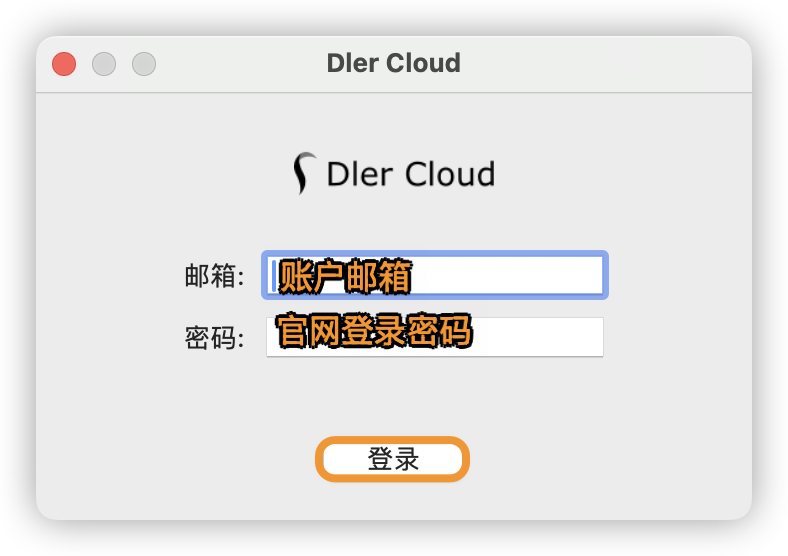
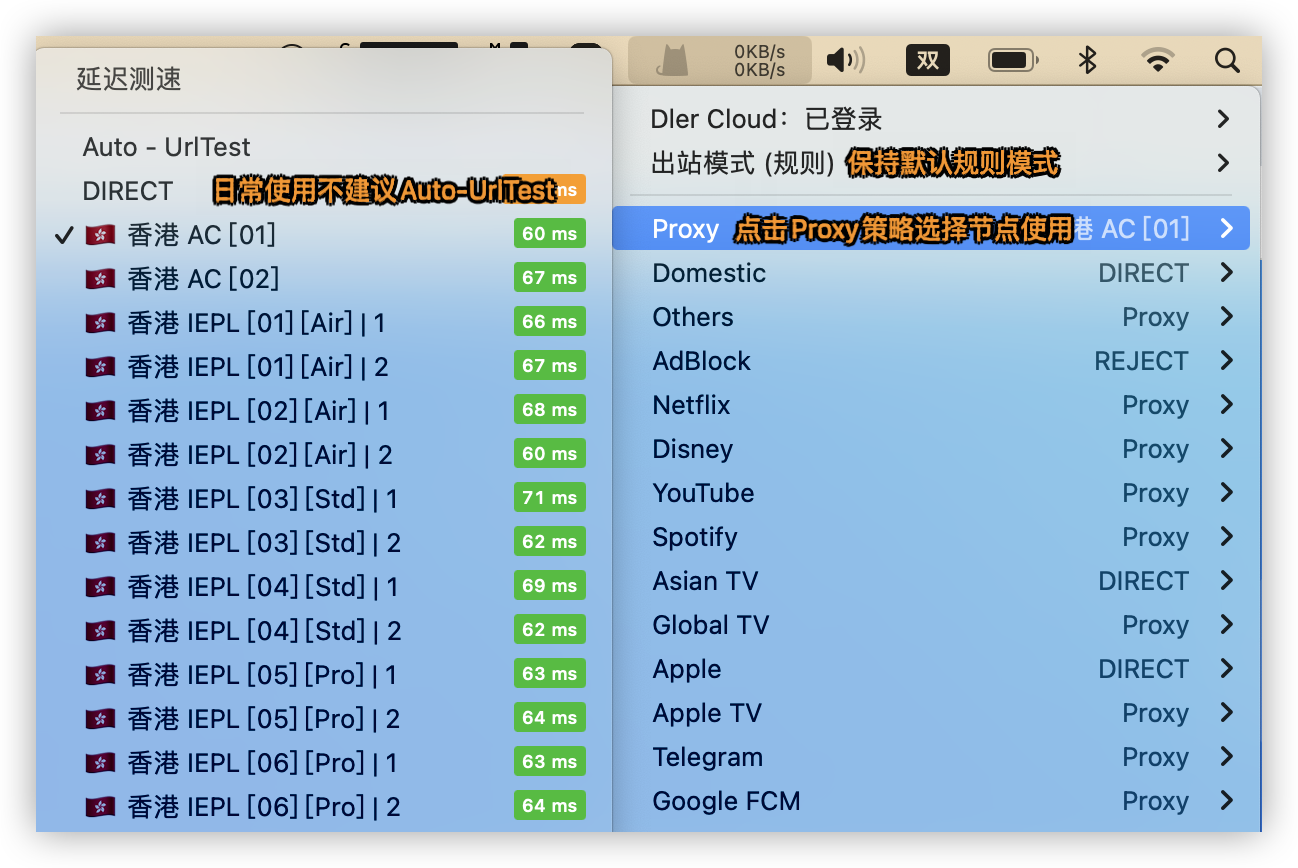
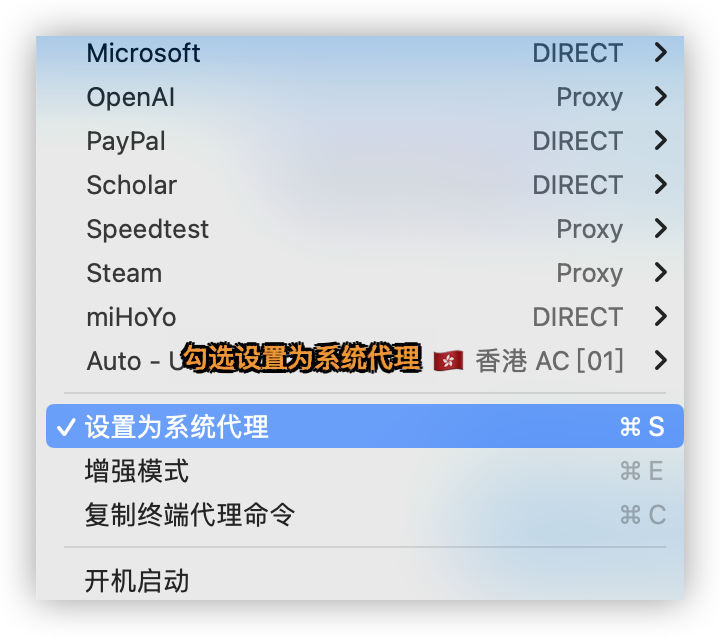
## 登录账户自动获取配置

<figure><img src="/files/BxTOwLdbiY01eZZ9GMy1" alt=""><figcaption></figcaption></figure>

<figure><img src="/files/3wgd4Ui8d2vyqsUlyrJX" alt=""><figcaption></figcaption></figure>

<figure><img src="/files/Y0vmQaxEMbmEKnqxcicB" alt=""><figcaption></figcaption></figure>

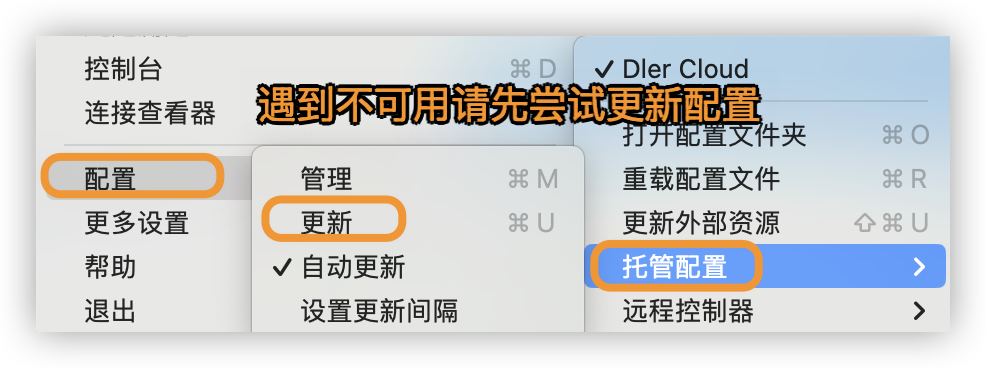
## 更新配置

<figure><img src="/files/tbgg6udQO52vhXc37ETy" alt=""><figcaption></figcaption></figure>


---

# Agent Instructions: Querying This Documentation

If you need additional information that is not directly available in this page, you can query the documentation dynamically by asking a question.

Perform an HTTP GET request on the current page URL with the `ask` query parameter:

```
GET https://docs.dler.io/black-hole/how-to-use/macos/clashx.md?ask=<question>
```

The question should be specific, self-contained, and written in natural language.
The response will contain a direct answer to the question and relevant excerpts and sources from the documentation.

Use this mechanism when the answer is not explicitly present in the current page, you need clarification or additional context, or you want to retrieve related documentation sections.